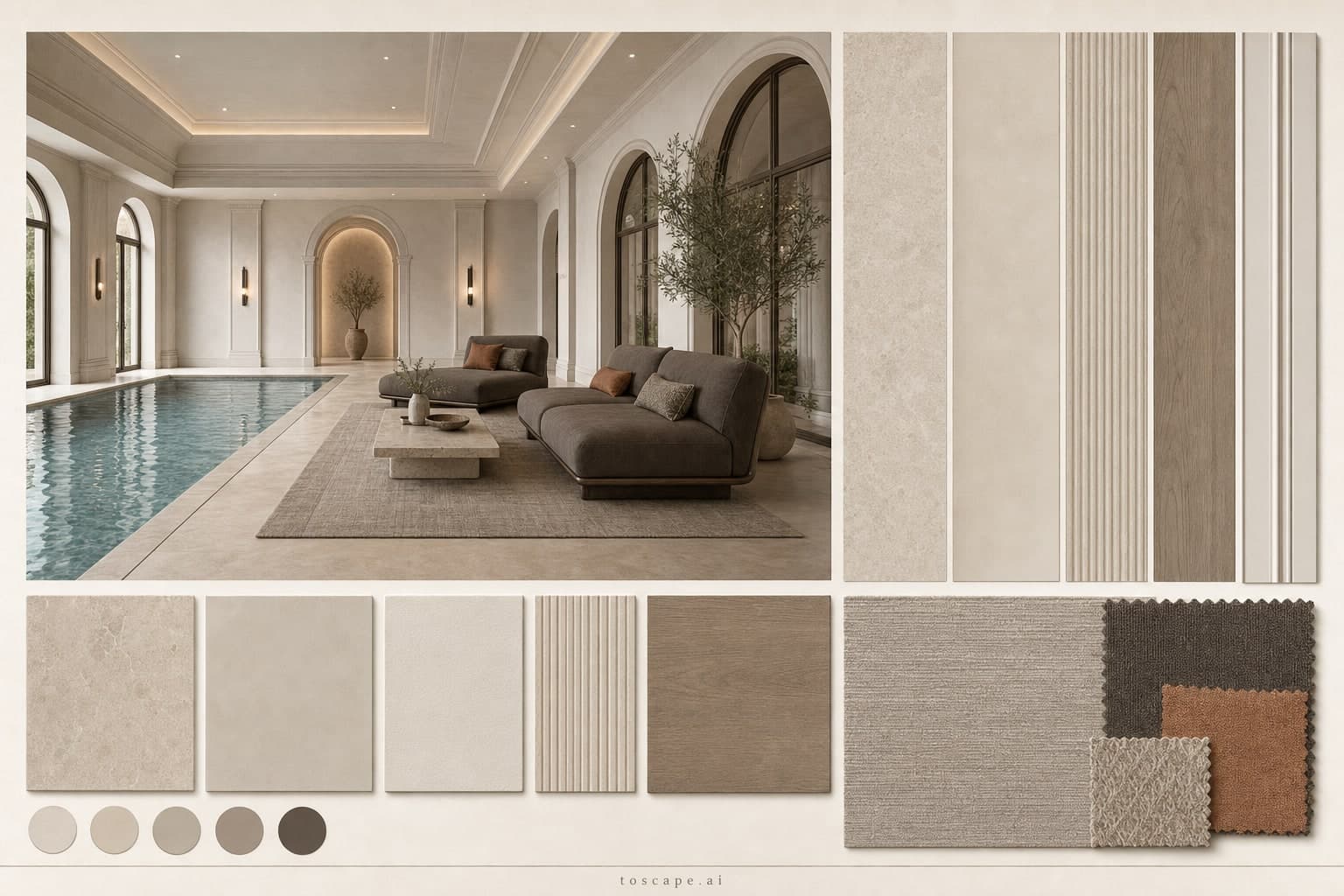
Neoclassic Warm Neutral Pool Lounge — Brushed Metal
Board 4609 · Variant 11 / Pool Lounge · Porcelain + Microcement
One complete material decision for pool design: porcelain and microcement under a warm neutral palette, finished in brushed metal.
Definition
Neoclassic Warm Neutral Pool Lounge — Brushed Metal is a neoclassic interior material moodboard for pool lounge design — one poster pairing the rendered space with its exact surfaces, palette, textiles, and rug.
- Space
- Pool Lounge
- Style direction
- Neoclassic
- Palette
- Warm Neutral
- Finish
- Brushed Metal
- Surfaces
- Porcelain + Microcement
Overview
This board settles the material question for a pool lounge where wet zones meet soft furnishings. The grammar is neoclassic: paneled walls, symmetric composition, and restrained classical detailing kept at a residential scale. Large-format porcelain carries the main fields while microcement softens the transitions. Porcelain gives you a precise, low-porous surface for high-traffic zones; microcement wraps columns, splashbacks, and joints in one continuous skin, so the two materials meet without heavy trims. Across the board, brushed metal trims and inlays catch light along their grain, adding precision to the composition. Soft beige, greige, and off-white hold the room together. Contrast stays controlled — materials are allowed to differ in texture, not in loudness, so the space reads as one continuous tone from wall to floor.
Material palette
Porcelain & Microcement
Large-format porcelain carries the main fields while microcement softens the transitions. Porcelain gives you a precise, low-porous surface for high-traffic zones; microcement wraps columns, splashbacks, and joints in one continuous skin, so the two materials meet without heavy trims.
Brushed Metal finish
Brushed metal reads as a thin, precise line rather than a shiny panel. Used on trims, reveals, and hardware, it gives the composition a tailored edge that flat surfaces cannot provide.
Color direction
Soft beige, greige, and off-white hold the room together. Contrast stays controlled — materials are allowed to differ in texture, not in loudness, so the space reads as one continuous tone from wall to floor.
Textiles
Upholstery in deep taupe-charcoal textile with controlled warm accent cushions.
Rug
Large low-contrast greige rug with subtle linear texture and soft edge transition.
Material reference card
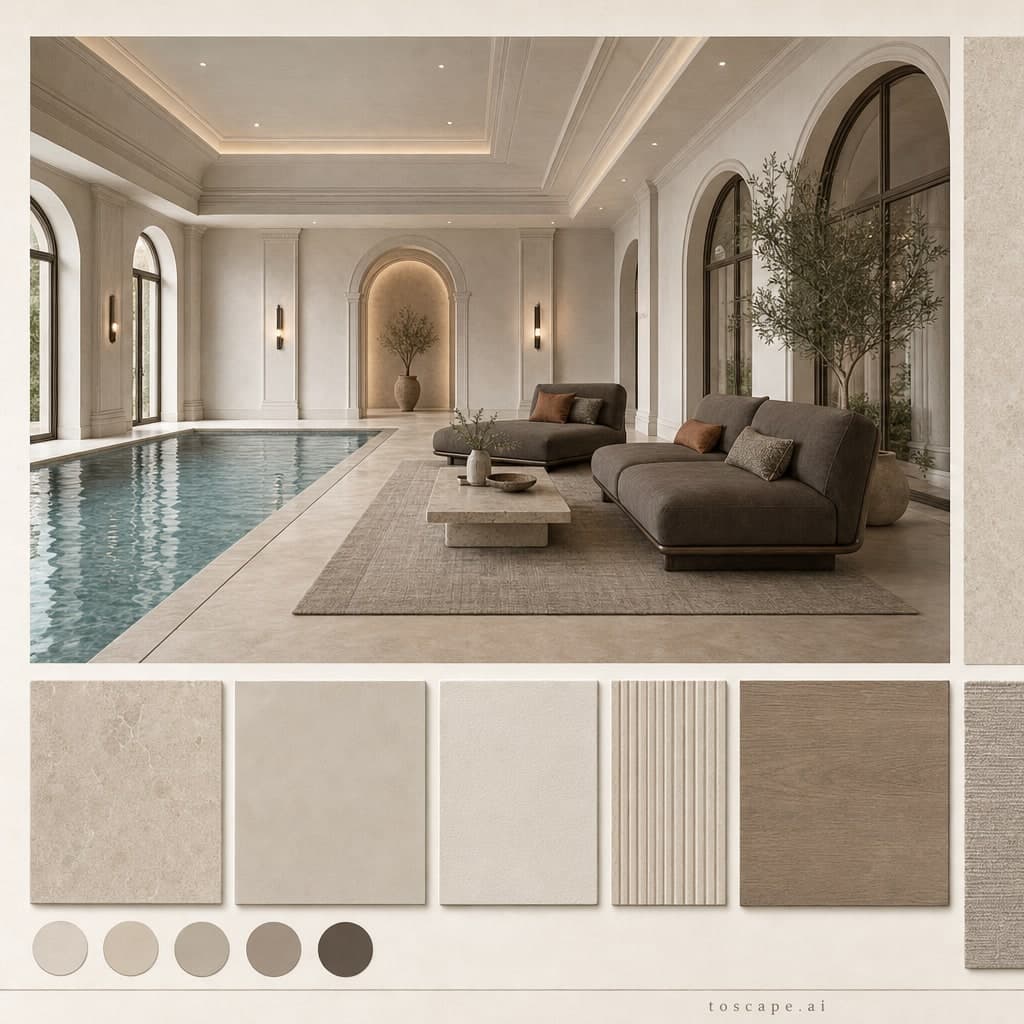
Pool Lounge · Neoclassic direction · Warm Neutral palette · Brushed Metal finish — the square card version of board 4609 for quick side-by-side comparisons.
Board scorecard
Frequently asked questions
What is the Neoclassic Warm Neutral Pool Lounge — Brushed Metal moodboard?
Neoclassic Warm Neutral Pool Lounge — Brushed Metal is a neoclassic interior material moodboard for pool lounge design — one poster pairing the rendered space with its exact surfaces, palette, textiles, and rug.
What materials does this pool lounge moodboard use?
Large-format porcelain carries the main fields while microcement softens the transitions. Porcelain gives you a precise, low-porous surface for high-traffic zones; microcement wraps columns, splashbacks, and joints in one continuous skin, so the two materials meet without heavy trims.
How do you use this board in Toscape?
Open Toscape on Windows, load your own room photo or render, then apply the board through the Interior Design workflow. Keep the poster next to your screen as the reference: match the surface order, palette balance, and finish by eye while the workflow preserves your room's geometry and camera.
Apply this board in Toscape
Use the Neoclassic Warm Neutral Pool Lounge — Brushed Metal board as your material reference inside the Interior Design workflow — your room geometry stays, the surfaces move toward the board.